How to activate
1
Get your license key
After purchasing, you'll receive an email with your license key at the email address you entered during checkout.
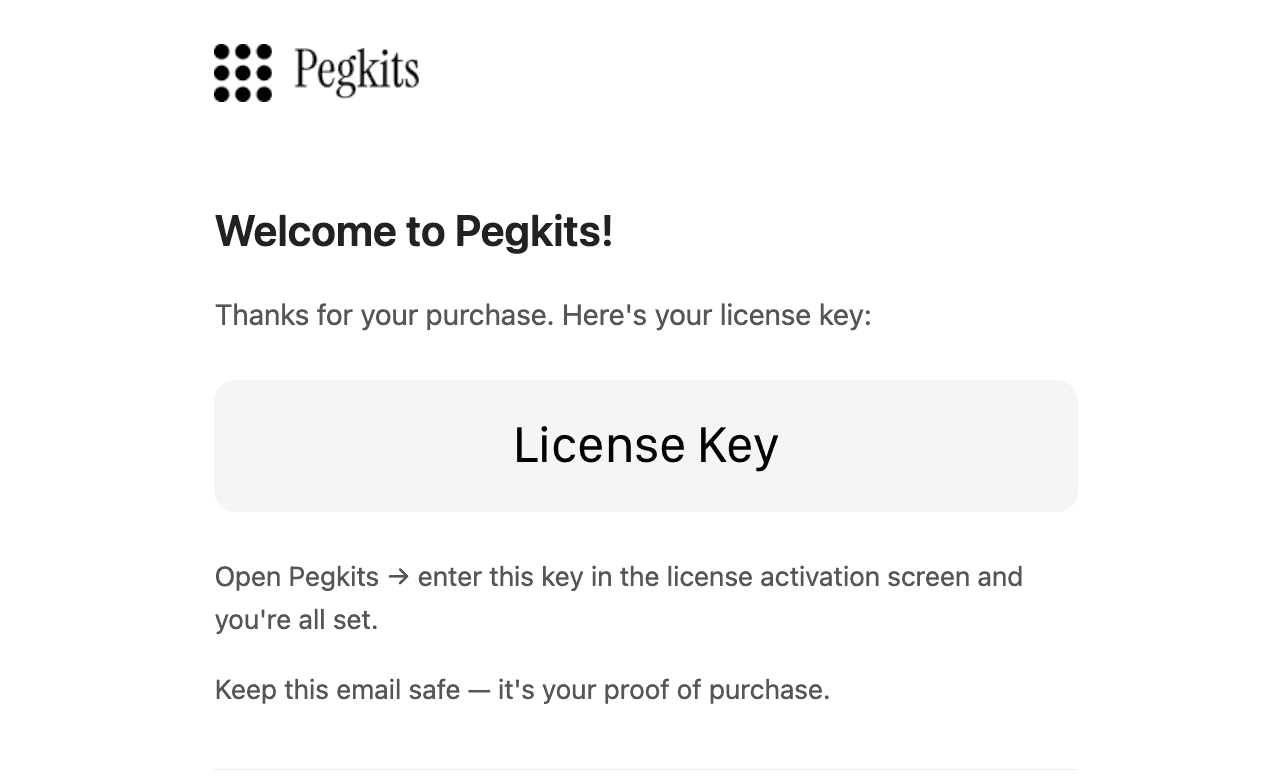
Note:The buyer's email doesn't need to match the account that redeems the license. You can purchase as a gift — but reselling is not allowed.
2
Download the app
Download Pegkits from the homepage and install it on your Mac.
3
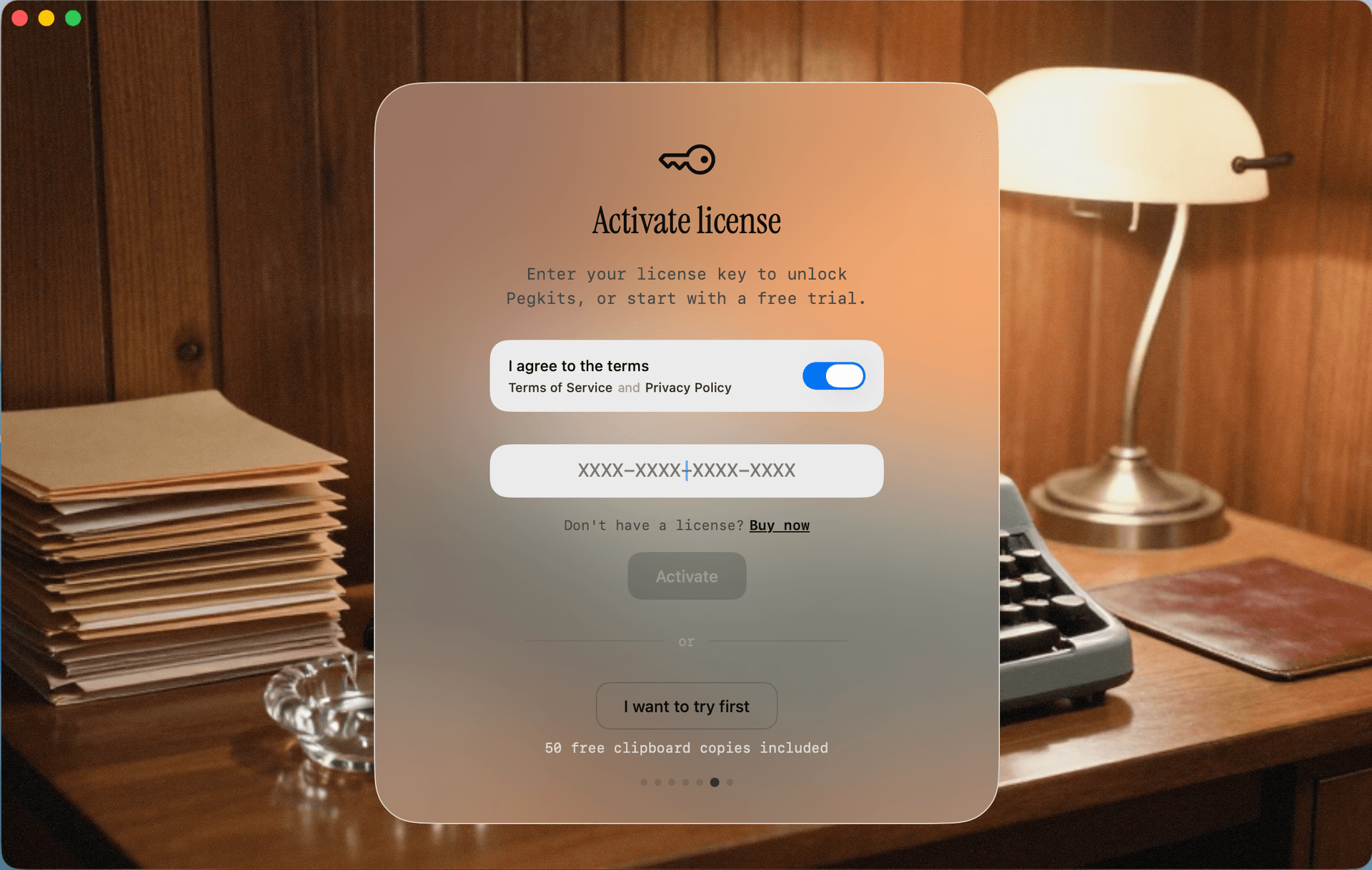
Activate your license
You can activate your license in two places:
During onboarding
Or in Account & Plan settings
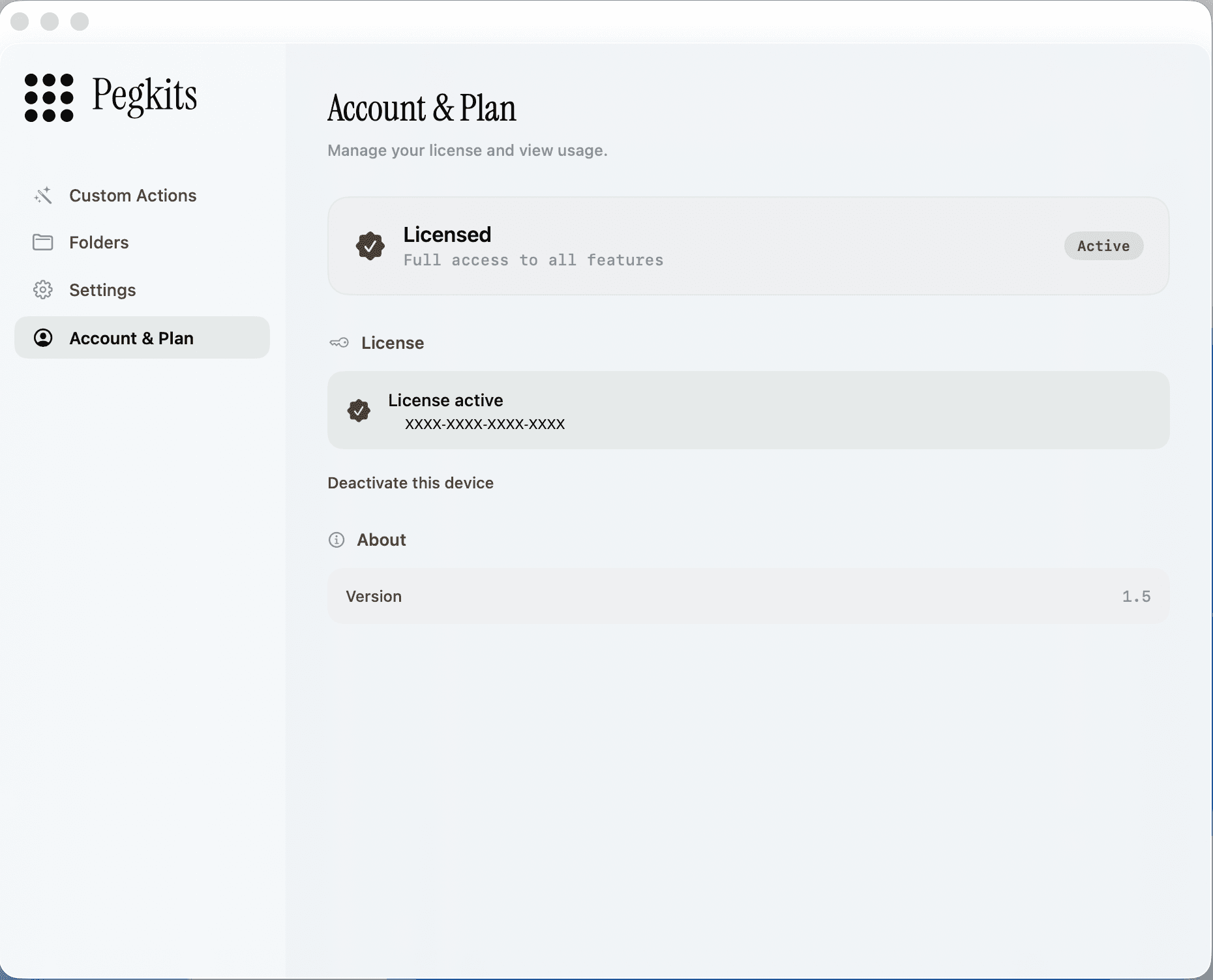
Note: Each license is tied to one device at a time. To use Pegkits on a different device, deactivate it first from Account & Plan, then activate on your new device.